Filament Drying and Storage
3D Printer technology is amazing and conitnues to expand, but are you paying attention and ‘caring’ for your filaments for the best results?
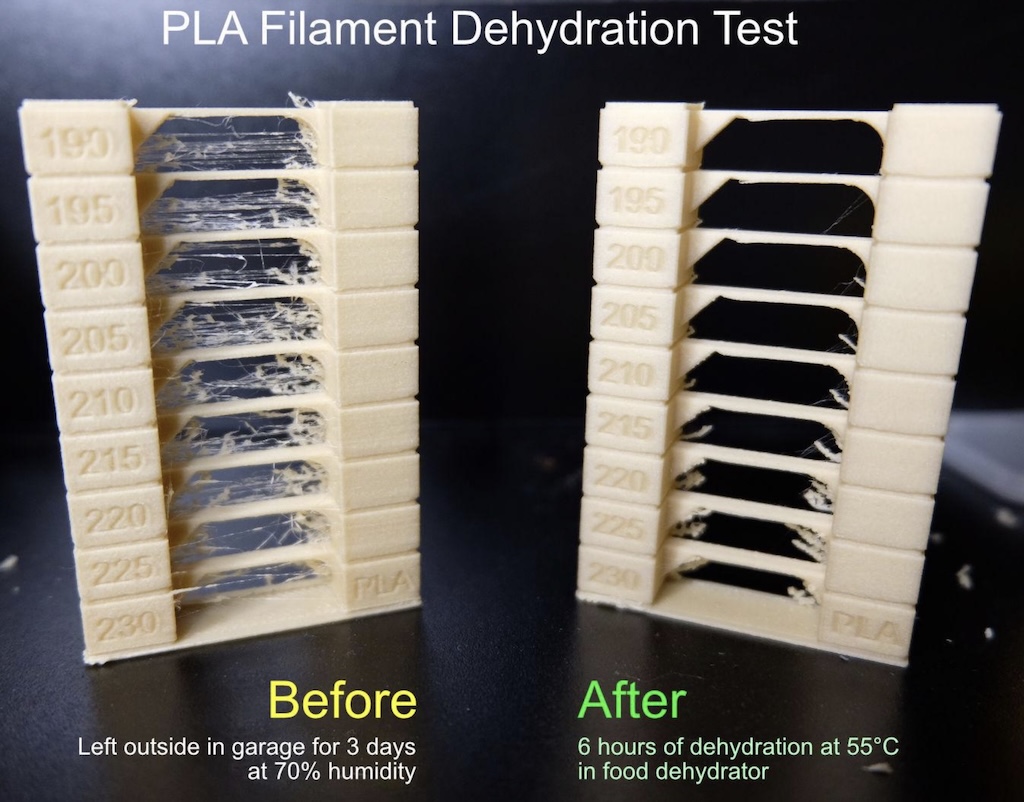
What do you mean I need to dry my filaments?
So, as you probably know by now or from my intro article, #D printing filaments are made of various different materials, with PLA generally being the most popular material, especially when first starting out. PLA is one of the most forgiving materials for new hobbyists, but a majority if not all filaments have different degress of hygroscopicity, which basically just means - they absorb moisture over time.
So what?
When a wet filament comes into contact with the hot extruder nozzle as part of the printing process, the moisture can be ‘boiled off,’ at least in part, leading to poppinmg sounds, but also general disruption to the print, causing blobs, stringing (very noticeable in the image above), increased brittleness, and a reduction in strength to various degrees. Sometimes you may even be able to see/test this without printing - most PLA will let you almost bend it into a ‘U’ shape by hand, but as it gets wetter, it becomes more brittle and just snaps off much sooner, and similarly for PETG.
In short, wet filaments ruin prints and print quality, and can lead to a lot of time (and filament) wasted
What can be done about it?
The good news is there are some pretty inexpensive solutions for the most part. We’ve got to acknowledge there are three different components to this (we’re not including things like filament inventory management here, of course ;) ):
-
Filament Drying
-
Filament Storage
-
Filament while printing
Some of these, or even all in some cases, may be combined, but we’ll cover each in turn, including some less expensive options. The Creality Space Pi series including the Pi 4XL is among the more expensive options.
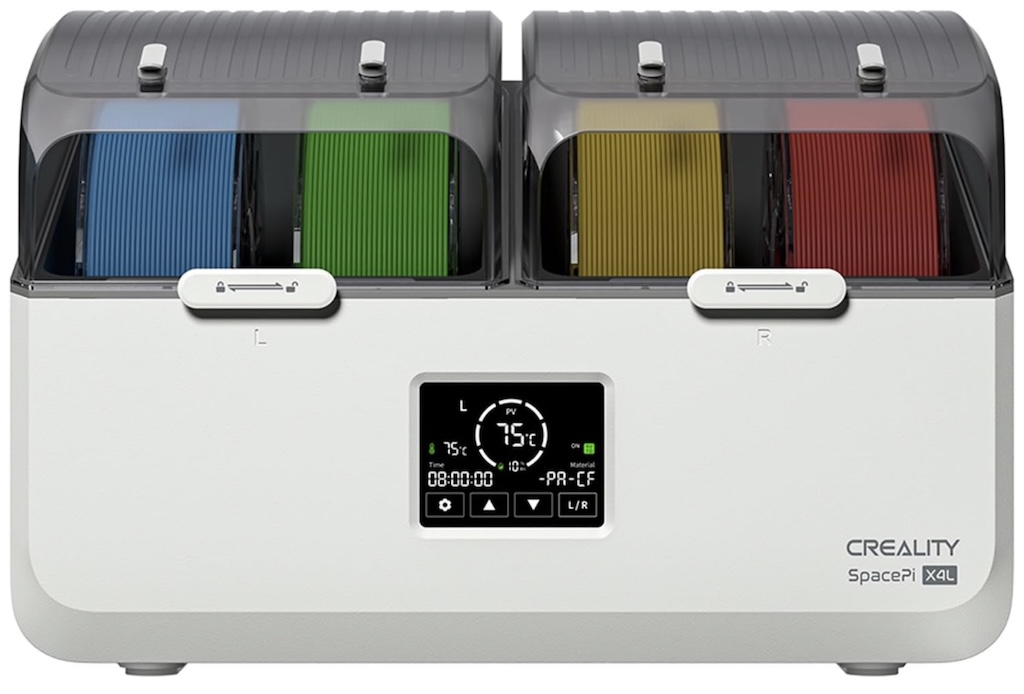
A Creality Space Pi XL4 has two independently controlled chambers but lower maximum tempoeratures than it’s more expensive brother, the Creality Space Pi X4
Filament Storage
We’re going to start slightly out of order versus the preceding list, and start with storage, mainly because at the end of the day, you’re going to need to store filaments in a ‘controlled not-humid environment’ when not actively printing. Some filaments like ABS or some others may last a bit longer at sitting around while still producing usable prints, while the more humid an environment someone lives in might make all filaments pretty much - store (or dry and then store!) them all properly when not being printed.
Most filament spools come in a mylar or other type of sealed bag which is vacuum-sealed, and probably has a couple of dessicant packs inside. Dessicant packs can be dried out in a microwave and re-used over time, by using an oven, food dehydrator, microwave - or a filament dryer! I don’t like the oven or food dehydrator option if I’m going to be using them also for food, and prefer the filament dryer path, but most dessicant can be improved by 15 seconds or so in a microwave.
One of the issues with the pacakaged bags is even if they’re re-usable, you can’t really vacuum-seal them. The vacuum sealing will remove most of the air, and well - the less air, the less humidity as air also absorbs moisture. While the absolutely cheapest path would be to re-use the bag, throw in some dessicant packs, press out as much air as possible, and close, getting a cheap vacuum pump with re-usable bags is fairly inexpensive. I like the ones I linked mainly because the vacuum interface being in the center is just nicer than the ones on the corner/easier to get suction going. If it’s out of stock, just find one with a center vacuum interface with ecent reviews. The bags don’t last forever, but you can use any of the pumps with nearly any of the replacement bags.
Some people use cereal plastic containers with dessicant, but IMO if you’re going to be spending like $10-$20 per container (I think I paid almost $20 for the cat food storage version of one of them), there’s a much better way, IMO, which is to use the same container for drying, storage, and to print from, which we’ll get into in the next section.
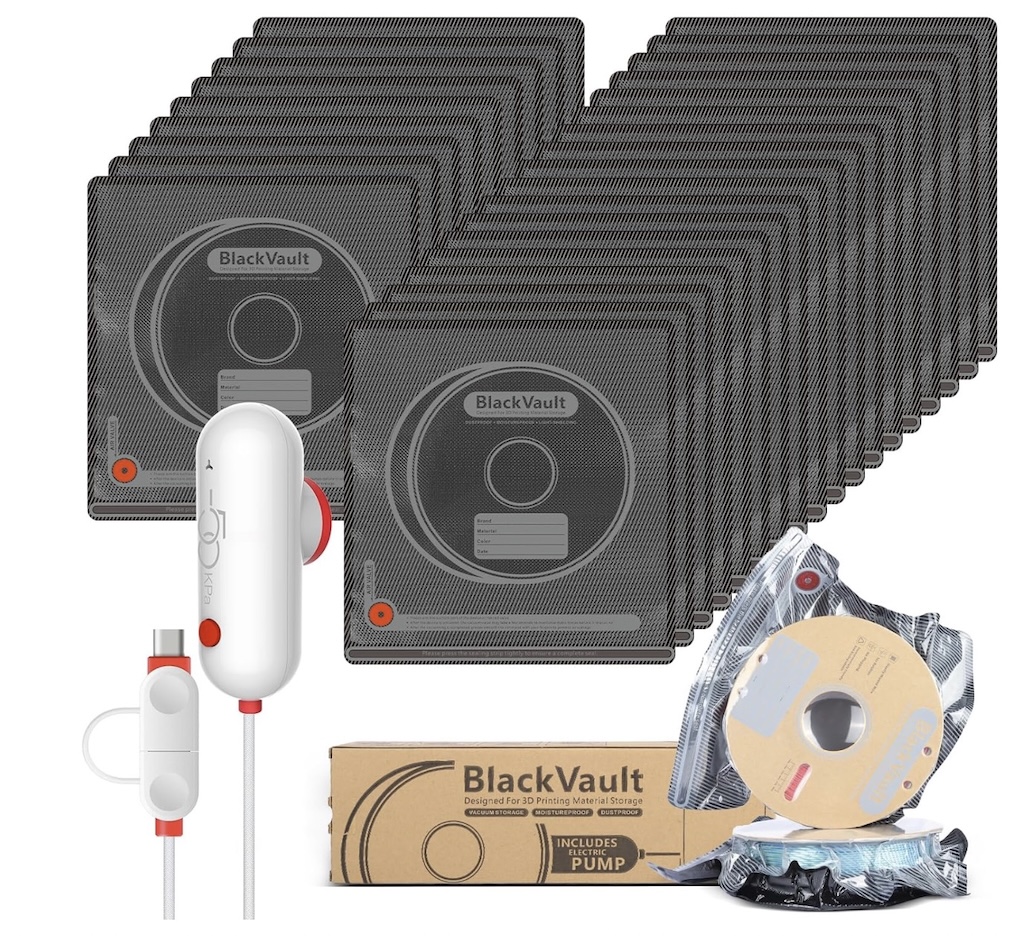
A simple vacuum pump with re-usable bags is a relatively inexpensive way to store filaments.
Filament Dryers
This is where some fanbogys/girls of different brands can sometimes debate endlessly. The reality is that none of the existing dryers on the market are even close to ‘perfect.’ Perfect to me, would be something like single units that could be stacked side by side, used not only for drying but also storage with maintenance (e.g. if humidity rises, then start drying), and can be printed from.
Most of the dryers available can be improved by adding an air vent to them duruing drying, but these are super easy to print and literally cost pennies to print.
You do want to pay attention to the filament types you plan on using, as some of the more engineering focused filaments may ideally want temperatures up to 70*C or higher. In most cases, you can get by with a dryer able to do 60-70*C and just running it for longer, but do be aware especially if you later get into some nylon filament variants down the road.
Personally I do a compromise, which for me, at the moment, until I go fully multi-head/nozzle on my printer via the INDX system, I don’t plan to do much multi-color/material, but will occasionally do color swaps like for 2 color models and the like - one print bed/color at a time. I also do swap a fair amount between materials, e.g. PLA or PLA+ and PETG. As I have a toddler, it almost requires me to keep multiple colors on hand, which can quickly add up to a fair amount of spools, but - I consistently print with perhaps 4 ‘core’ material and color combinations.
With all of that said, my ‘compromise’ is a single solution for drying, storing AND printing from for my ‘core filaments,’ but then vac sealed bags and dessicant for the rest.
While I expect this area to grow with more offerings over time, right now the Polymaker PolyDryer system (and Snapmaker version as they licensed/labelled it from them - 100% interchangeable and sometimes a few $ cheaper) is it. It has some nits in other dryers may reduce humidity quicker, but I let it run as long as it needs to do get the humidity down to 15% or lower. It has a built-in hygrometer, so there’s no guessing if it’s ok to print with, and they’re easily stored. I do use two modifications for them - I add an 'air exchanger’ (printed in PETG) to the powered base, and a single air diverter (also PETG) into each box on one side, which for me, has improved drying performance.
There are other options of course. The Polymaker additional boxes run around $20-$25USD, and the base system comes with the drying powered base and a single storage box. You can build up over time, or go with a different dryer along with vac-sealed bags. I have 4-6 boxes with more ‘always using’ filaments and the rest in bags myself.
I did have a Sunlu S2, which was mediocre, but once again, with a simple mode to keep the top of the box slightly vented, the performance improved quite a bit, to the point it reduces humidity faster than the Polymaker. However, if you were to buy multiple of them, they aren’t fully sealed so can’t use them for storage, and worse, the LCD layout is on the side, so they’re not really convenient to have multiple of at all, or even store sanely… so if I were going to go with a single dryer and then just seal into bags, I’d probably do the Sunlu S1+ instead (controls are on the front) or something like the Creality Space Pi single or the double which is a bit more money.
Note the Creality can be used for drying and printing from however many spools in the version you get (1, 2 or 4), but can’t really be used well for storage if you have more filaments, so you’ll still most likely have to pick up some vac bags regardless.
How dry is dry enough?
Good question. Most of the dryers (including the ones I’ve recommended) generally have settings for the different types of filaments. Usually, around 6 hours at 50-55*C is the minimum but in general you’re looking for 10-15% registered humidity, and letting it run there for at least an hour, as what any hygrometer is measuring isn’t really inside the spool. If you’re able to get down to 10%, excellent. If not, 15% isn’t too bad, either - otherwise just dry a bit longer. The dryers aren’t really scientific, calibrated devices, but you should be able to get close to these numbers with a properly working dryer.
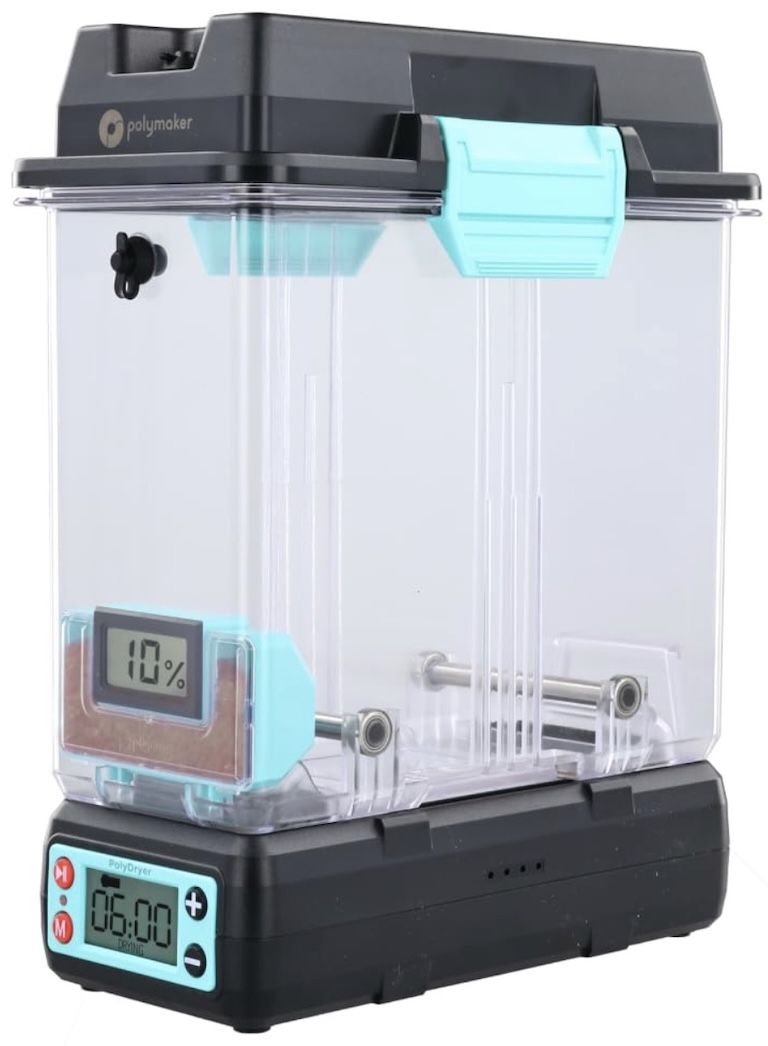
The PolyDryer system has a powered base while the inidivudal boxes can be removed ans sealed for storage as well as being used to print directly from.
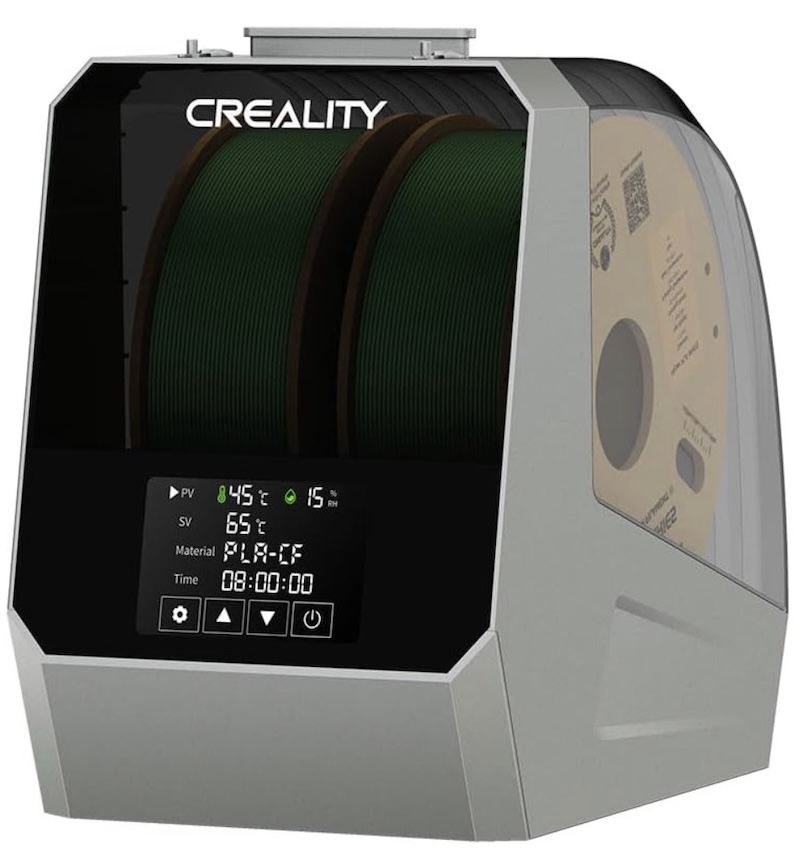
The Creality Space Pi Double comes in various sizes from a single chamber version to a 4 spool version.
Bigger Systems
WIth 3d printers coming down in price and starting to add multiple nozzle/toolheads into the mix, like the Snapmaker U1, Prusa/Bondtech INDX system releasing this year, as well as the various printers with a single nozzle but 4 spool ‘changing systems’ like the Creality CFS and others, there is a growing number of systems starting to come out to handle 4 spools, and conceivably more in the future. Some of them like the CFS or AMS are literally just spool holders without drying capability, while others like the Creality Space Pi 4X are ok for both drying and printing directly from.
Yet others are intended to be printed and DIY systems. I personally will have a need for a system to print from 8-10 different materials concurrently, but there is no ideal system as of yet for that scale at semi-reasonable prices, so I’ll be continuing to use a handful of PolyDryer boxes for printing until something more ideal may come along.
If you think you can get by with something like the Space Pi 4X for printing and general drying of ‘core filaments,’ you may well still need a second dryer (single chamber) and some bags and vacuum.
I’ll update this section IF I find anything better than the Space Pi 4 type of system (which I don’t have plans to move to at this time - will keep the PolyDryer for the foreseeable future as a good overall all-in-one type of system).
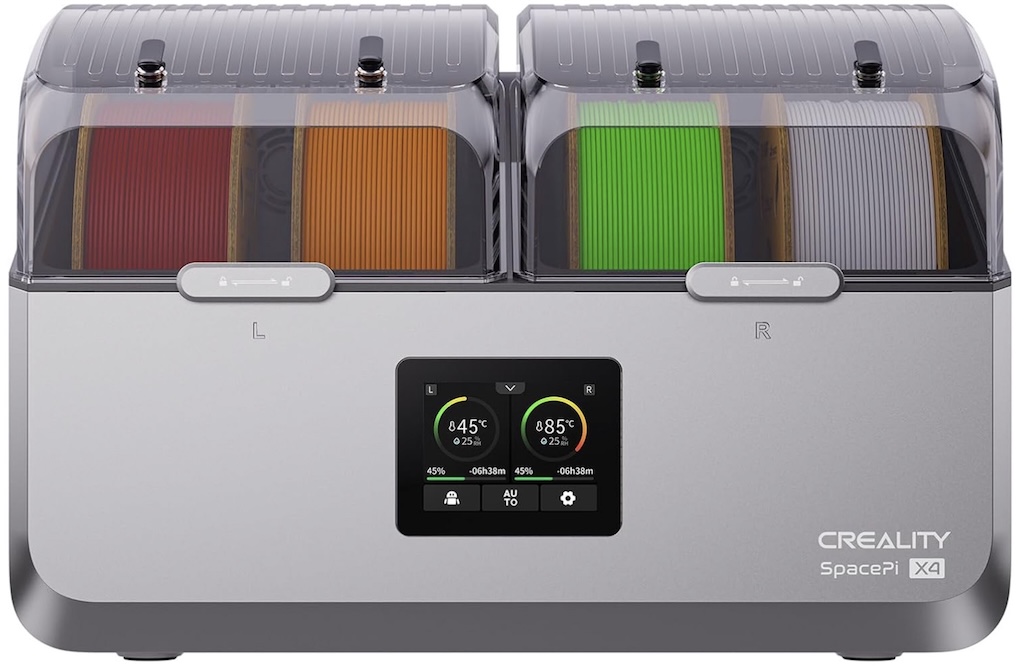
The Creality Space Pi X4 has two separate drying chambers with the ability to set each for different filaments/temperatures and holds up to 4 spools for drying and printing.